One place for
all your AI skills.
Install, manage, and share skills across every major coding agent — Claude Code, Cursor, Windsurf, GitHub Copilot, Gemini CLI, Goose, OpenAI Codex, OpenCode, Kilo Code, Trae, and Antigravity.
 Download for Linux
Install, manage, and share skills across every major coding agent — Claude Code, Cursor, Windsurf, GitHub Copilot, Gemini CLI, Goose, OpenAI Codex, OpenCode, Kilo Code, Trae, and Antigravity.
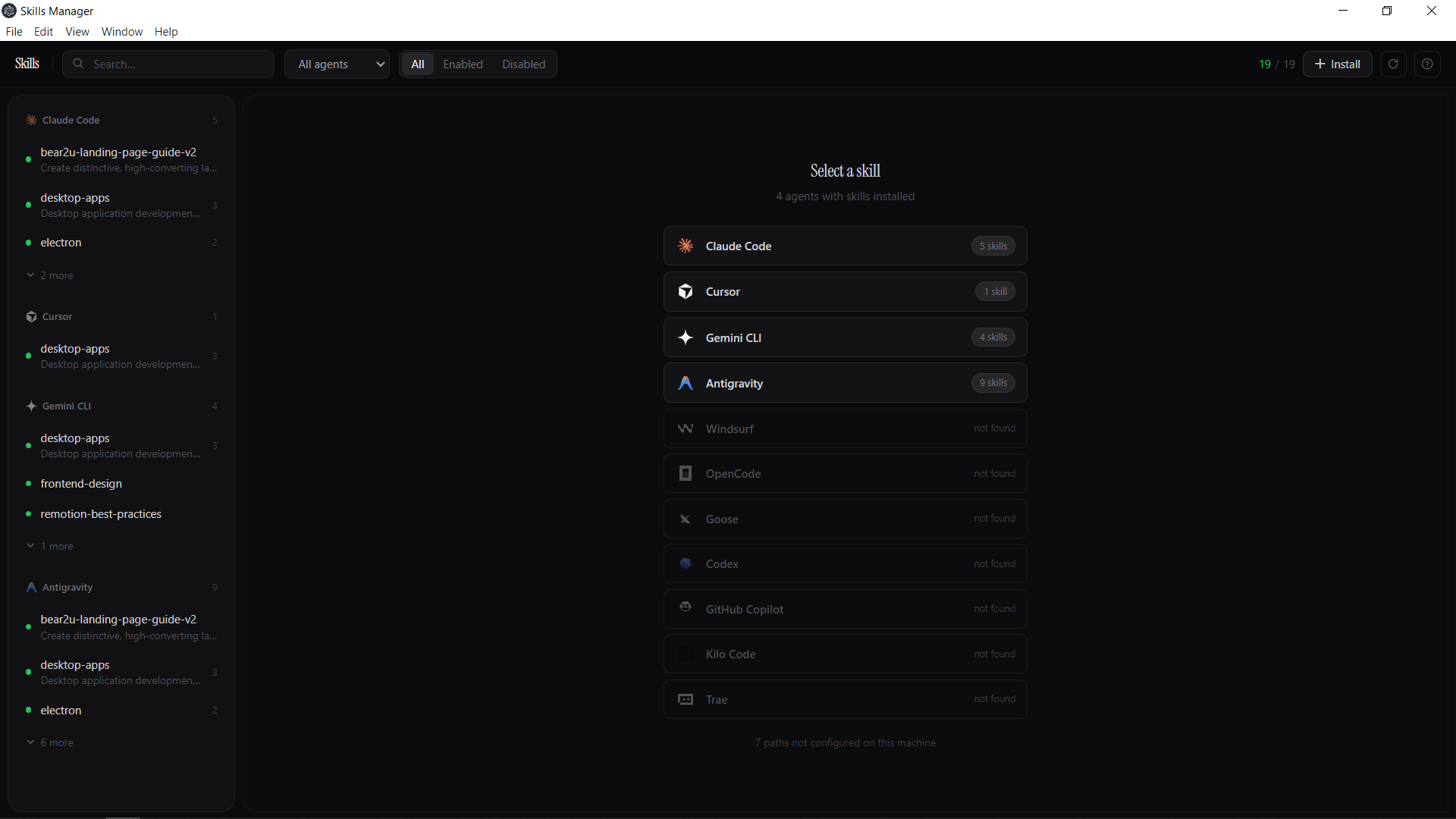

See it in action
Watch the demo
Works with 11 coding agents
 Goose
Goose OpenAI CodexGooseOpenAI Codex
Everything you need
Stop managing skills manually. Skills Manager handles it all.
Unified view
See every skill installed across all your agents in one place. No more hunting through config directories.
Install from GitHub
Paste any GitHub repo URL and install skills with one click. Works with public repos and custom registries.
Copy between agents
Found the perfect skill for Claude Code? Push it to Cursor or Copilot in seconds — no manual file copying.
Enable / disable
Toggle any skill on or off without deleting it. Experiment freely and roll back without losing your setup.
What people are saying
“This solves a real annoyance. Having one place to manage and push skills across agents is a workflow I didn't know I needed.”
“The fragmentation problem across agents is real. The unified view approach makes sense — this is exactly what we needed.”
“The skills discoverability problem is real — I end up rediscovering the same prompt patterns across projects.”
“As someone using agents but not at home with NPM, I like this. Simple, direct, does what it says.”
“Every time I want to test the same skill in Cursor or another agent, it's manual file copying and adjusting paths.”
“We need a unified skill marketplace for different agents — good work, this is a step in the right direction.”
FAQ
Ready to get started?
Free and open source. Windows and Linux available now. Mac coming soon.
Share your thoughts
What do you think?
Bug reports, feature ideas, or just a note — we read everything.
Prefer a conversation? Join our Discord